Raffle Ticket Generator - Create Numbered Tickets from CSV
Make numbered raffle tickets online for fundraisers, draws, and events. Import your ticket numbers from a spreadsheet and download print-ready tickets in minutes.
Perfect for: Event organizers, fundraiser coordinators, school administrators, nonprofit teams
Key Benefits
- Generate hundreds of numbered tickets in one batch
- Import ticket numbers and details from CSV
- Custom designs matching your event branding
- Print-ready for any paper size
Generate Custom Numbered Raffle Tickets Online
Pre-printed tickets from an office supply store work, but they carry someone else's design and a numbering run you do not control. Batchr generates tickets carrying your event name, your sponsors, and exactly the numbers you need — from a spreadsheet, in the browser, with nothing to install.
Start from a working example
- Download the sample ticket template (PNG, 1650 × 600 at 300 DPI) — a blank 5.5″ × 2″ ticket with a tear-off stub marked out
- Download the sample ticket CSV — ten numbered rows with
TICKET_NUMBER,EVENT,PRIZE, andFILENAME
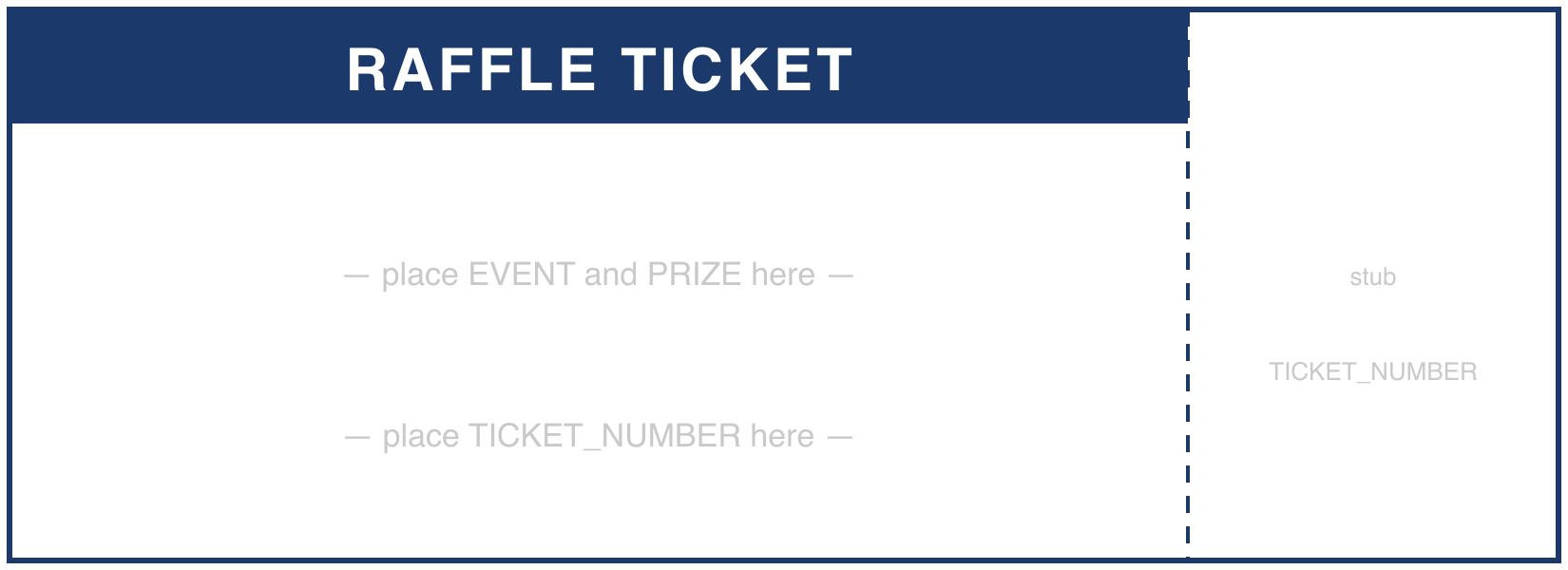
Open the CSV in Excel or Google Sheets, extend it to however many tickets you need, and save as CSV. Upload both files to the generator and drag each column onto the ticket. The free trial generates the first three so you can print one and check the size before paying.
The leading-zero problem, solved
This trips up almost everyone. Type 0001 into Excel and it stores 1, so your tickets come out
numbered 1, 2, 3 instead of 0001, 0002, 0003 — and they sort wrongly in every list you ever make
from them.
Two reliable fixes:
- Format the column as Text before typing anything. Select the column → Format Cells → Text.
- Or generate the padded string in a formula:
=TEXT(ROW()-1,"0000")in row 2, filled down, gives you0001onwards as real text.
For 500 tickets, put that formula in A2, drag to A501, then copy the column and paste-special as
values before exporting. The sample CSV above already has the column stored as text, so if you just
extend it downward the padding carries.
Numbering schemes worth considering
| Scheme | Example | When to use it |
|---|---|---|
| Plain sequential | 0001–0500 | Single draw, single seller |
| Prefixed by seller | AM-0001, JB-0001 | Multiple volunteers selling books of tickets |
| Prefixed by tier | VIP-001, GEN-0001 | Different ticket prices or prize pools |
| Book-and-ticket | B03-014 | Physical books of 25, reconciled at the end |
The prefixed schemes matter more than they sound. When three volunteers each sell from an undifferentiated 1–500 run, reconciling takes an evening. When each has their own prefix, it takes five minutes.
Two-part tickets with a stub
A raffle ticket usually needs to exist twice: the buyer keeps one half, you keep the matching half in the drum. Put the ticket number in both places on your template — once on the main body, once on the stub — and map the same CSV column to both positions. Batchr will place the same value twice. The sample template marks the tear line at the right-hand quarter.
Print, then either run the sheets through a perforating wheel along the tear line or simply guillotine the stubs off and keep them banded together.
Ticket sizes and stock
| Size | Physical | Template at 300 DPI | Notes |
|---|---|---|---|
| Classic cloakroom | 2″ × 1″ | 600 × 300 px | Tiny; number only |
| Standard raffle | 5.5″ × 2″ | 1650 × 600 px | The sample — room for branding and a stub |
| Large / prize draw | 6″ × 3″ | 1800 × 900 px | Sponsor logos, terms on the back |
Print on 200–250 gsm card stock. Anything lighter tears at the stub instead of along it. A standard A4 or Letter sheet takes four 5.5″ × 2″ tickets comfortably with cutting margins.
Who uses these
- Nonprofits: branded fundraiser tickets with sequential numbering and sponsor logos
- Schools: summer fair, carnival, and door prize tickets
- Companies: holiday party giveaways and product launch draws
- Community groups: local fundraisers where the ticket is also the advertising
One practical warning
Raffles and prize draws are regulated differently depending on where you are, and public raffles often require a licence, registration, or specific wording printed on the ticket itself. Check your local rules before you print several hundred, and if wording is required, put it in your template design rather than in the spreadsheet — it is the same on every ticket.
New to the tool? The quick start guide walks through upload and mapping in order.
Cost
A run of 500 custom-printed tickets from a print shop typically starts around $80–150 with a few days' turnaround, and any change means reordering. Batchr is $19 once, generates in the browser, and lets you regenerate the run as many times as you need — useful the moment a sponsor is added or a date changes.
Frequently Asked Questions
How do I create numbered raffle tickets?
Create a CSV with a column of sequential numbers (1, 2, 3... or any numbering scheme), design your ticket template, upload both to Batchr, map the number column to your template, and generate. Each ticket gets its unique number.
Can I make raffle tickets with both a number and a name?
Yes. Add multiple columns to your CSV (ticket number, buyer name, prize category, etc.) and map each to a different position on your template.
How many tickets can I generate?
Up to 1000 tickets per batch. For larger events, run multiple batches with different number ranges.
Can I create matching stub tickets?
Design your template with both the ticket and stub portions. Batchr will place the number on both parts. After printing, cut along the perforation line.